12 Marketing Automation Examples for B2B and Agency Teams
12 practical marketing automation examples for B2B and agency teams — trigger, steps, tools and time saved — from lead routing to reporting and AI checks.

Short answer
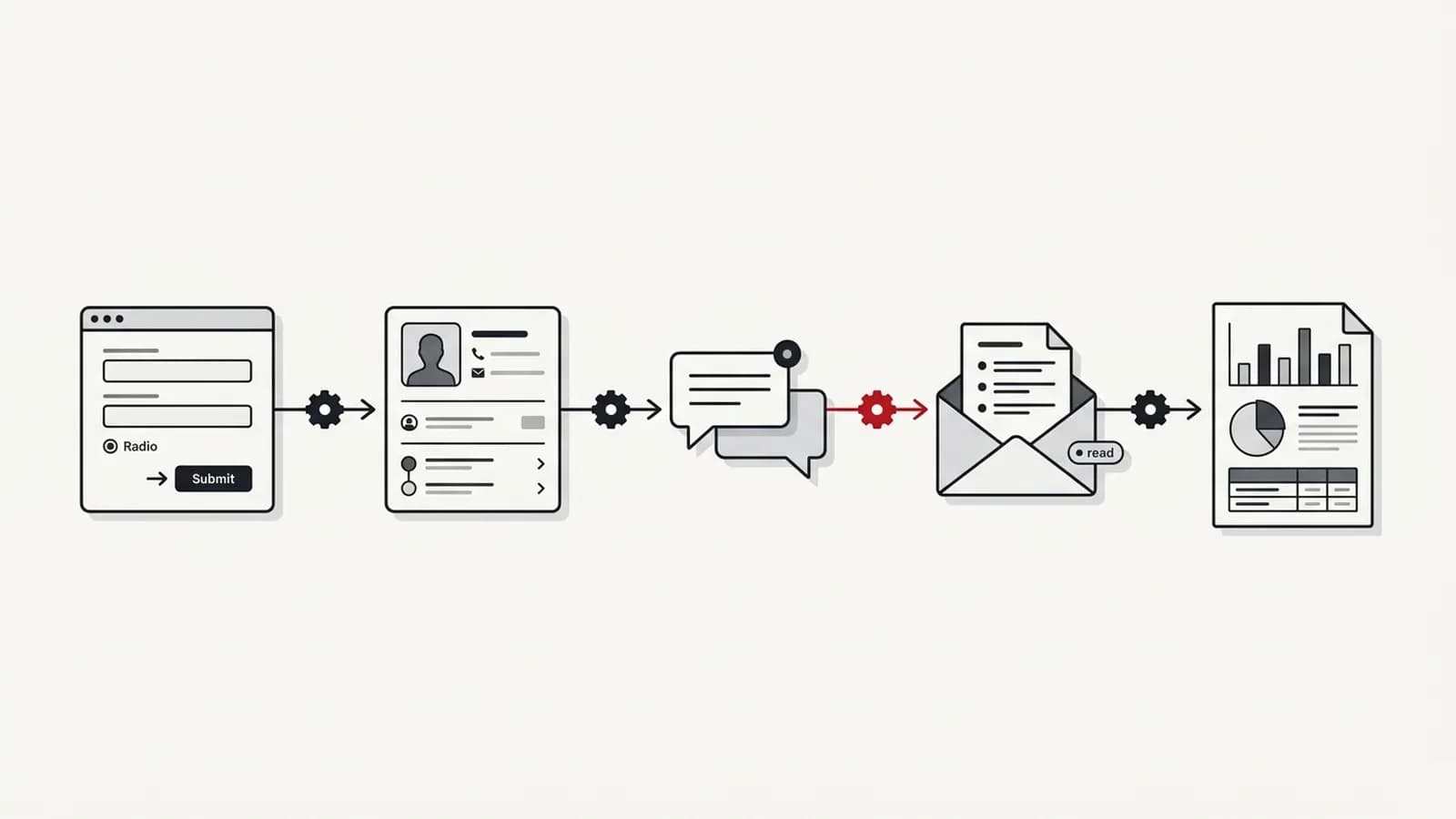
Useful marketing automation examples for B2B and agency teams include lead routing and enrichment, form-to-CRM-to-Slack alerts, scheduled reporting, AI-drafted content briefs with review, UTM governance, broken-link alerts, review monitoring, client onboarding, AI visibility checks and invoice reminders. Each has a clear trigger, fixed steps and an owner — and removes repetitive work rather than judgement.
Key takeaways
- The best marketing automation examples have a clear trigger, fixed steps, a defined output and a named owner.
- Lead routing, reporting and client onboarding usually save the most time for B2B and agency teams because they recur constantly.
- AI automation for marketing teams works best as a drafting step with human review, not as an autonomous publisher.
- Every workflow should include error alerts so a failure is noticed within hours, not weeks.
- Start with three workflows that are frequent, rule-based and painful, then expand once they run reliably.
In this article (9 sections)
- 1What makes a good marketing automation example?
- 212 marketing automation examples at a glance
- 3Types of marketing automation
- 4Lead routing and enrichment in detail
- 5Scheduled reporting in detail
- 6Content brief generation with human review
- 7UTM governance in detail
- 8AI visibility checks in detail
- 9How to pick your first three workflows
Most lists of marketing automation examples stop at "send a welcome email". That is useful for ecommerce, but B2B and agency teams lose far more time in the operational gaps between tools: leads sitting unassigned, reports assembled by hand, onboarding checklists living in someone's head.
Below are 12 workflows for B2B marketing teams and agencies. Each follows the same structure — trigger, steps, tools and the kind of time it saves — so you can judge which ones fit your team. I have not attached invented percentages; the time saved depends entirely on your volume.
What makes a good marketing automation example?
A workflow is worth automating when it is frequent, follows a rule and causes pain when it is done late or wrong. Good candidates share four traits:
- A clear trigger — a form submission, a schedule, a status change
- Fixed steps — the same actions every time, with defined exceptions
- A defined output — a CRM record, a message, a report, a task
- An owner — one person who is alerted when it fails and knows how to fix it
If you cannot describe a workflow in those four terms, standardise the process before automating it.
It also helps to separate alerting workflows (tell a person something happened) from doing workflows (change data in a system). Alerting workflows are low risk and a good place to start. Doing workflows — updating CRM records, sending client emails — need more testing and tighter error handling.
12 marketing automation examples at a glance
| Workflow | Trigger | Steps | Tools | Time saved | Delivered |
|---|---|---|---|---|---|
| Lead routing and enrichment | Form or demo request | Enrich, score, assign owner, notify | HubSpot/Salesforce, n8n or Make | Removes manual triage; faster response | Delivered |
| Form → CRM → Slack | Form submission | Create contact, dedupe, post to channel | Zapier or Make, CRM, Slack | Ends copy-paste of leads | Delivered |
| Scheduled reporting | Weekly/monthly schedule | Pull APIs, store, refresh dashboard, draft summary | Apps Script/Python, Looker Studio | Removes report assembly | Delivered |
| Content brief generation | New keyword approved | Pull SERP data, AI draft, send for review | SEMrush/Ahrefs, OpenAI/Anthropic, n8n | Cuts research and drafting time | — |
| UTM governance | New campaign link requested | Build from rules, validate, log | Sheets + Apps Script | Prevents broken attribution | — |
| Broken-link / 404 alerts | Scheduled crawl | Crawl, compare, alert on new errors | Screaming Frog, Python, Slack | Catches issues before clients do | Delivered |
| Review monitoring | New review posted | Collect, classify sentiment, route | BrightLocal, Make, Slack | Removes manual checking | — |
| Client onboarding | Contract signed | Create project, folders, access requests, kickoff tasks | Wrike, CRM, n8n | Consistent, faster starts | — |
| AI visibility checks | Weekly schedule | Run prompt set via APIs, log mentions, flag changes | OpenAI/Anthropic APIs, n8n, Sheets | Replaces manual prompt testing | — |
| Invoice and report reminders | Date or status | Check status, remind owner, escalate | CRM, Zapier/Make, email | Fewer missed deadlines | — |
| Ad spend pacing alerts | Daily schedule | Pull spend, compare to budget, alert | Ads APIs, Apps Script, Slack | Avoids over- and under-spend | — |
| Website change alerts | Scheduled fetch | Check robots.txt, noindex, titles; diff; alert | Python or n8n, Slack | Catches risky releases early | Delivered |
Rows marked delivered are workflow types I have built for clients; the others are examples I can build to the same standard.
Types of marketing automation
The 12 examples fall into four types:
- Lead management — lead routing and enrichment; form → CRM → Slack.
- Nurture and lifecycle — client onboarding; invoice and report reminders; review monitoring.
- Reporting and analytics — scheduled reporting; UTM governance; AI visibility checks; ad spend pacing alerts.
- Operations and QA — content brief generation; broken-link / 404 alerts; website change alerts.
Grouping workflows by type makes it easier to see where a team has gaps.
Lead routing and enrichment in detail
This is usually the highest-value marketing workflow automation for B2B teams, because slow follow-up loses pipeline quietly.
- Trigger: a demo request or contact form is submitted.
- Enrich: look up company domain, size and industry from your enrichment source.
- Deduplicate: match against existing contacts and accounts in HubSpot or Salesforce.
- Score and route: apply agreed rules (region, segment, deal size) to assign an owner.
- Notify: post a summary to the owner in Slack with a link to the CRM record.
- Escalate: if nobody updates the record within an agreed window, alert the team lead.
The rules must come from sales and marketing together. Automation enforces an agreement; it cannot create one.
Scheduled reporting in detail
Reporting is where I have seen the largest time savings. In one international operation I led, automating reporting workflows removed more than 1,400 hours of manual effort — roughly the workload of 10 team members.
The pattern is consistent: pull data via APIs, store it in Sheets or BigQuery, refresh a Looker Studio dashboard and draft a "what changed" summary that a person reviews. My guide to marketing reporting automation walks through the architecture, and the case study shows how it was rolled out.
Content brief generation with human review
This is a good example of AI automation for marketing teams done responsibly.
- Trigger: a keyword or topic is approved in your content tracker.
- Research: pull top-ranking pages, questions and related terms from SEMrush or Ahrefs.
- Draft: an LLM produces a brief — search intent, outline, questions to answer, internal links to include.
- Review: the brief lands with an editor, who edits and approves before a writer sees it.
The review step is the point. AI drafts save research time, but they miss business context and sometimes misread intent. Never let this workflow publish anything on its own.
UTM governance in detail
UTM governance is one of the least glamorous marketing automation examples and one of the most valuable. Inconsistent tags — LinkedIn, linkedin, li — split campaign data across rows and make attribution arguments impossible to settle.
- Trigger: someone requests a campaign link through a simple form or sheet.
- Build: a script assembles the URL from controlled lists of sources, mediums and campaign names.
- Validate: it rejects free-text values, capital letters and spaces.
- Log: every link is recorded with owner, date and destination, so reporting can be reconciled later.
This takes an afternoon to set up in Google Sheets with Apps Script, and it removes an entire category of reporting clean-up.
AI visibility checks in detail
As buyers use ChatGPT, Perplexity and Google's AI features to research vendors, many teams want to know whether they are being mentioned.
- Trigger: a weekly schedule.
- Run prompts: send a fixed set of buyer-style questions through model APIs.
- Log: record whether your brand and competitors are mentioned, and which sources are cited.
- Flag: alert when mentions change noticeably.
Be honest about limits: API answers can differ from what users see in consumer apps, and responses vary between runs. Treat this as a trend signal, not a precise ranking. My guide on how to measure AI search visibility covers the method in more depth.
How to pick your first three workflows
Do not try to automate everything. Pick three workflows that are:
- Frequent — daily or weekly, not quarterly
- Rule-based — the steps can be written down without "it depends"
- Painful — late or wrong execution costs money, leads or client trust
Of all the marketing automation examples above, those three criteria usually point to lead routing, reporting and onboarding first. Then choose the tool based on who will maintain it. My comparison of n8n vs Zapier vs Make covers pricing models and maintenance trade-offs, and my guide on which SEO tasks to automate covers the SEO side.
If you would like help designing and building these workflows, my marketing automation consulting starts by mapping where your team's time goes. When the underlying problem is unclear process or ownership, marketing operations support usually comes first.