Traffic Dropped After a Website Migration? A Recovery Plan
Traffic drop after a website migration? Find the cause fast: redirects, noindex, canonicals, rendering, internal links. A first-week triage and recovery plan.

Short answer
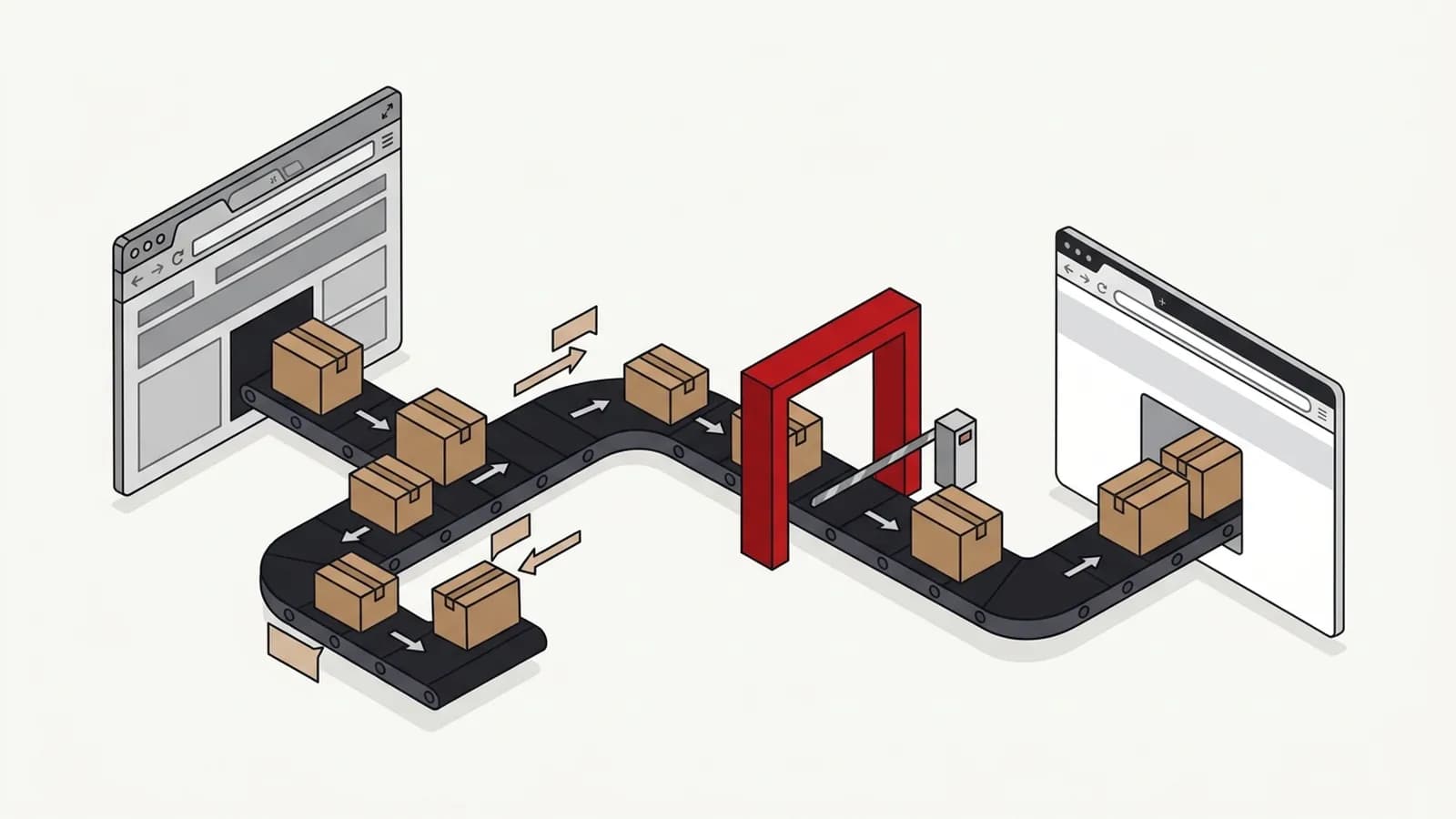
A traffic drop after a website migration is usually caused by something specific and checkable: missing or wrong redirects, changed URLs or content, a leftover noindex or robots block, canonical errors, content search engines can't render, broken internal links, slower pages or lost structured data. Triage in that order in the first week, fix the blockers first, then rebuild what was removed. Much of the loss is often recoverable, but nobody can guarantee full recovery or a timeline.
Key takeaways
- Most traffic drops after a website migration trace back to a short list of technical causes, and missing or incorrect 301 redirects are the most common.
- Before touching SEO, compare GA4 with Search Console: if Search Console clicks held but GA4 fell, the problem is tracking, not rankings.
- In the first week, check indexing blockers (noindex, robots.txt, canonicals) before anything else, because they can remove whole sections from search.
- Compare old and new URLs page by page using pre-migration data from Search Console; the pages that lost the most clicks tell you where to look.
- Recovery depends on how quickly issues are found and whether removed content and links are restored; nobody can honestly promise full recovery or a date.
- Migration is a big job, not a technology or domain switch: benchmark, inventory every URL, map redirects one to one and crawl staging before launch.
In this article (10 sections)
- 1Why do websites lose traffic after a migration?
- 2First: is it a real drop, or did tracking break?
- 3Lost rankings after a redesign: is it the migration or something else?
- 4Triage: what to check in the first week
- 5Recovery checklist: issue, how to spot it, how to fix it
- 6How to recover SEO after a migration: what's realistic?
- 7AI answers after a migration
- 8Moving to Shopify: what changes
- 9Website redesign traffic loss: preventing it next time
- 10When to get outside help
If you're looking at a traffic drop after a website migration, you're not alone — it's one of the most common and most stressful problems I'm asked to look at. The good news is that the cause is usually specific, checkable and at least partly fixable. The bad news is that every week it stays unfixed makes recovery slower.
This guide covers why migrations lose traffic, what to check first, what you can realistically get back, and how to make sure it doesn't happen next time. If you haven't launched yet, use the website migration SEO checklist instead — prevention is far cheaper than recovery.
Why do websites lose traffic after a migration?
A migration — a redesign, a platform change, a domain change or a rebrand — changes the signals search engines have spent years learning about your site. When those signals break, rankings drop. These are the causes I find most often, roughly in order of how frequently they show up:
- Missing or wrong redirects. Old URLs return 404s, redirect to the homepage, or chain through several hops instead of a clean 301 to the matching new page.
- Changed URLs and content. Pages were renamed, merged or trimmed, and the new versions no longer answer the query the old page ranked for.
- Broken internal links. Navigation and in-content links still point to old URLs, or important pages lost the links that told search engines they mattered.
- Rendering problems. The new site relies on JavaScript to show main content, and search engines receive a near-empty HTML page.
- Noindex or robots blocks. The staging site's noindex tag or "Disallow: /" rule went live with the launch.
- Canonical errors. Canonical tags point to the staging domain, the old domain, the homepage, or a different page.
- Slower pages. Heavier templates, unoptimised images and extra scripts hurt Core Web Vitals and user behaviour.
- Lost structured data. Product, FAQ, article, breadcrumb or organisation schema wasn't carried over, so rich results disappeared.
Often it's two or three of these together. That's why a rushed fix to one issue doesn't always bring traffic back.
First: is it a real drop, or did tracking break?
This is the first thing I check, before touching any SEO. New templates often ship without the analytics tag, with a duplicate tag, or with a consent banner that blocks tracking until visitors accept. Any of those makes GA4 show a drop that didn't happen in search.
Compare GA4 organic sessions with clicks in Google Search Console for the same dates. Search Console counts clicks on Google's side, so it doesn't depend on your tags.
- Search Console clicks held, GA4 fell. The problem is probably tracking. Check that the GA4 tag fires on every new template, that it isn't firing twice, and how the consent settings treat visitors who haven't accepted yet.
- Both fell by a similar amount. The drop in search is real. Carry on with the checks below.
Lost rankings after a redesign: is it the migration or something else?
Once you know the drop is real, confirm the migration is the cause. Check the date the drop started in Google Search Console against your launch date. A drop that begins within days of launch and hits the pages whose URLs or templates changed is almost certainly migration-related.
If the drop started before launch, affects pages that didn't change, or matches a known Google update, the cause may be elsewhere. My guide on diagnosing an SEO traffic drop walks through how to separate a migration problem from algorithm changes, AI search and seasonality.
Read the shape of the drop
How the drop looks on the chart narrows down where to look first.
| Shape of the drop | Likely causes | Check first |
|---|---|---|
| Sharp drop on launch day | Missing redirects, a leftover noindex, a robots.txt block | Redirects, meta robots, robots.txt |
| Gradual decline over several weeks | Removed content, weaker internal links, search engines re-evaluating the new pages | Content and internal links on the pages that lost the most clicks |
| Only some sections dropped | A problem with those templates or URL patterns | Redirects, canonicals and rendering for the affected templates |
| Mobile dropped more than desktop | The mobile template is missing content, links or structured data | Compare the rendered mobile page with the desktop one |
Filter Search Console by page folder and by device to see which shape you're dealing with.
Triage: what to check in the first week
Work in this order. The early checks catch the problems that remove pages from search entirely; the later ones affect how well pages rank once they're indexed.
- Day 1 — confirm the drop is real. Compare GA4 with Search Console clicks, as above. If only GA4 fell, fix tracking before anything else.
- Day 1 — indexing blockers. Check robots.txt, the meta robots tag and the X-Robots-Tag header on key templates. Look especially for a noindex left over from staging. Use URL Inspection in Search Console on your top 10 pages.
- Day 1 — canonicals. Confirm every important page has a self-referencing canonical on the live domain, not one pointing to the old URL.
- Day 1–2 — redirects. Export the top landing pages from the old site (Search Console, last 3–6 months before launch). Crawl that list and confirm each returns a single 301 to the right new page.
- Day 2–3 — rendering. Compare the rendered HTML in URL Inspection with what users see. Main content, headings and links must be present.
- Day 3–4 — internal links and sitemap. Crawl the new site. Fix links to redirected or 404 URLs, and submit an XML sitemap containing only live, indexable, canonical URLs.
- Day 4–5 — content gaps. For the pages that lost the most clicks, compare old and new content. Was a section, FAQ, table or whole page removed?
- Day 5–7 — performance and structured data. Check Core Web Vitals for key templates and run the Rich Results Test on pages that used to show rich results.
Recovery checklist: issue, how to spot it, how to fix it
Use this as a working list during recovery. It covers the issues behind most migration traffic losses I've seen.
| Issue | How to spot it | Fix |
|---|---|---|
| Missing redirects | Old URLs return 404 in a crawl of pre-launch landing pages | 301 each old URL to its closest new equivalent |
| Redirects to homepage | Many old URLs land on / | Map one to one; restore pages with no equivalent |
| Redirect chains | Crawl shows 2+ hops | Point every old URL straight to the final URL |
| Noindex or robots block | URL Inspection says "Excluded by noindex" or "Blocked by robots.txt", often a leftover from staging | Remove the tag or rule; request indexing |
| Wrong canonicals | Canonical points to staging, the old domain, old URLs or another page | Self-referencing canonicals on live URLs |
| Rendering gaps | Rendered HTML missing main content | Server-render or pre-render key content |
| Broken internal links | Crawl finds links to 404 or redirected URLs | Update links to final URLs |
| Content removed | Old page ranked for queries the new page doesn't cover | Restore the missing sections or page |
| Slower pages | Core Web Vitals or page speed worse than before launch on the new templates | Compress images, cut scripts, fix layout shift |
| Lost structured data | Rich Results Test shows no items | Re-add schema to templates |
Keep the old site's crawl and Search Console exports safe. Without a pre-migration benchmark, recovery becomes guesswork.
How to recover SEO after a migration: what's realistic?
Honest expectations matter here, because this is where people get sold false promises. Nobody can guarantee you'll get all your traffic back, or say exactly when.
What usually helps recovery:
- Speed. Issues fixed in the first few weeks generally recover faster than ones found months later, once search engines have dropped old URLs and moved links on.
- Fixing the cause, not the symptom. If content was removed, redirects alone won't restore rankings for queries the new page no longer answers.
- Keeping redirects in place. Google's site move guidance recommends keeping redirects for at least a year. For a domain change, also use the Change of Address tool in Search Console.
- Restoring backlinks' targets. If high-value backlinks point to old URLs that now 404, redirecting them recovers much of that value.
- Keeping the old domain alive. After a domain change, keep the old domain registered and its server answering every old URL with a 301 for at least a year, and ideally for as long as links still point at it. If the old host goes offline before the redirects are live, Google sees errors instead of redirects, and Change of Address only works while those redirects stay in place.
- Updating the backlinks that matter most. After a domain change, ask the sites behind your most valuable backlinks to point at the new URLs, and update the profiles you control. Where links were built by a previous vendor or agency, you'll usually need to contact them, because they may have the relationships or access. Otherwise my team focuses on earning new links once the old URLs redirect correctly. New links can't make up for a broken redirect map, so the redirects come first.
Migration hangover or normal volatility?
Some wobble is normal. For the first few weeks after launch, rankings and clicks often move up and down while search engines recrawl, follow the redirects and re-evaluate the new pages. That on its own is not a reason to change anything.
A "migration hangover" that needs fixing looks different:
- The drop deepens after week 4 instead of levelling off or recovering.
- The losses concentrate on redirected URLs, while pages whose URLs didn't change hold steady.
- Specific page groups stay down while the rest of the site recovers.
If you see any of these, go back through the recovery checklist above. The usual culprits at this stage are a staging noindex still live on some templates, canonicals still pointing to old URLs, and speed regressions on the new templates.
What makes full recovery less likely: the business deliberately removed content or product lines, the new domain or brand has less recognition, or the migration coincided with wider changes in search, such as more AI answers on your key queries.
Track recovery against your pre-migration baseline by page group, not just total traffic. A total that's "only down 10%" can hide your most valuable service pages being down far more.
AI answers after a migration
Search engines aren't the only systems that need to catch up. AI assistants and AI answers in search can keep citing your old domain, old URLs or old facts, such as a previous brand name, address or service list, for a while after launch.
- Check what assistants say. Ask ChatGPT, Google's AI answers and the other assistants your buyers use about your brand and your main services. Run each prompt several times, logged out and set to your buyer's location, because answers vary from run to run. Note whether they cite the old domain, link to old URLs or repeat outdated details.
- Make the new facts consistent everywhere. Update your Google Business Profile, social profiles, directory listings and any other profiles you control with the new URLs, name and details. Assistants draw on these sources, and conflicting versions keep old facts alive.
- Keep the redirects working. Links from assistants to old URLs should land on the right new page, not a 404.
- Check again monthly until the answers reflect the new site.
I cover AI answers as a standard part of SEO work, including after migrations.
Moving to Shopify: what changes
Shopify uses fixed path prefixes: products live under /products/, collections under /collections/, standard pages under /pages/ and blog posts under /blogs/<blog>/. Those prefixes can't be removed, so a move from WordPress or a custom build changes almost every URL, even when the slugs stay the same. /blue-kettle becomes /products/blue-kettle, and to Google that is a new address.
- Treat it as a full URL migration. Every old URL that earns traffic or links needs a one-to-one 301 to its new Shopify equivalent.
- Import the redirect map before switching DNS. Shopify's URL redirects can be bulk-imported from a CSV. Load and test them before the domain points at the new store, not after sales stop. Shopify only applies a redirect when nothing exists at the old path, so check for clashes with live pages.
- Check the whole picture before blaming SEO. If traffic fell by a similar amount across direct, social and organic, the cause is probably not search. Check tracking on the new theme, the checkout and wider demand first.
Website redesign traffic loss: preventing it next time
Migration is a big job. It's not just moving technology or a domain — done badly, it has long-term negative effects on rankings, leads and brand searches. On every migration I lead, the structure is the same:
- Benchmark rankings, landing pages, backlinks and conversions before anything changes.
- Inventory every URL, including old blog posts and PDFs that still earn links.
- Decide keep, merge or retire for each page deliberately, protecting pages that earn traffic or links.
- Map 301 redirects one to one and test them on staging.
- Crawl staging for noindex, canonicals, rendering and broken links before launch.
- Monitor for at least 12 weeks after launch, with someone accountable for fixing issues fast.
That structure works. For BFSI and real estate clients, I've delivered migrations that retained 70%+ of traffic after a complete domain and brand migration, and 40%+ improvement in rankings and traffic for UI/UX and platform migrations. The condition is important: those results came when the strategy was implemented exactly as instructed. Skipped steps are where traffic goes missing.
If you're planning a rebuild, I run website development and redesign projects with SEO built in from the start, and I also review in-house migration plans before launch. For large, multi-country or multi-domain sites, see international and enterprise SEO.
When to get outside help
You can work through the triage above yourself if you have Search Console access, a crawler and someone who can change redirects and templates. Get help when:
- The drop is large and you can't find an obvious cause in the first week.
- You've lost the old site's URL list or Search Console data.
- Several causes overlap — for example a domain change plus a platform change plus content cuts.
- Leads have dropped and every week of delay has a real cost.
A focused audit — the same process as my SEO audit checklist — usually pinpoints the causes quickly. If you'd rather hand it over, my SEO consulting work covers migration recovery end to end.